 For Individuals
 Data Recovery
 File Repair
 Data Erasure
  For Business
 Email Repair
 Email Converter
 Email Migration
 File & Database Repair
  Toolkit
 Forensic
 Lab Services
 Our Partners
 About
About Company
 Leadership
  Media Coverage
 Press Releases
 Career
  Resources
 Case Studies
 Blogs
Blogs  Articles
  Videos
  Support
 Contact us

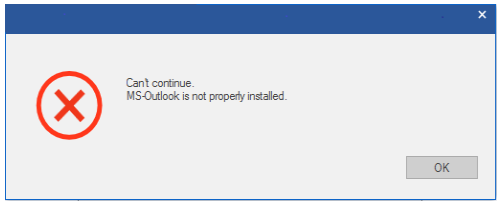
Outlook not installed properly’ error appears while saving the converted mailbox items to PST file. You can resolve the Outlook error by creating a new local Outlook profile.
Steps to Create a Local Profile in Outlook
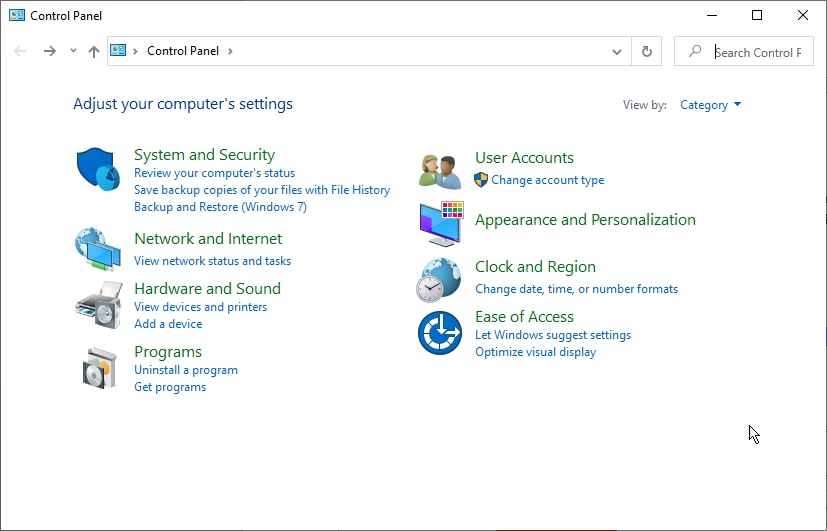
- Open Control Panel and go to User Accounts
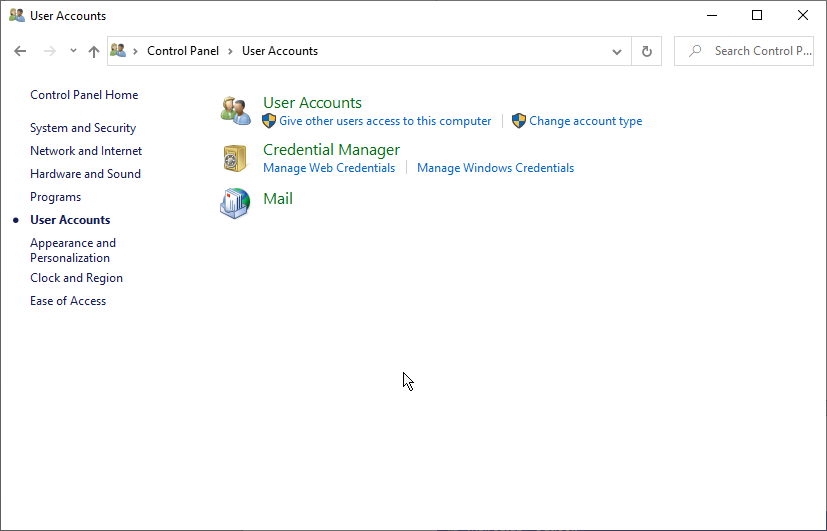
- Click Mail
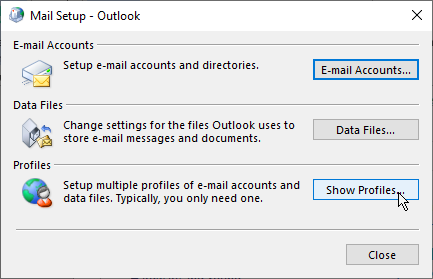
- Click on the ‘Show Profiles…’ button
- Click on the ‘Add…’ button
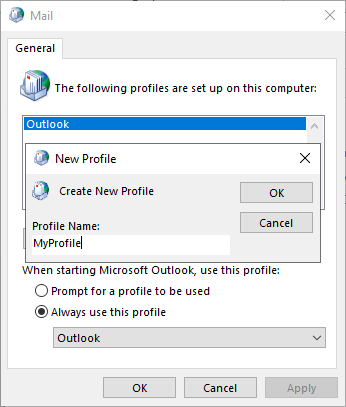
- Enter a ‘Profile Name’ and click ‘OK’. You can give any name to your profile
- A new ‘Add Account’ window appears. Click ‘Cancel'
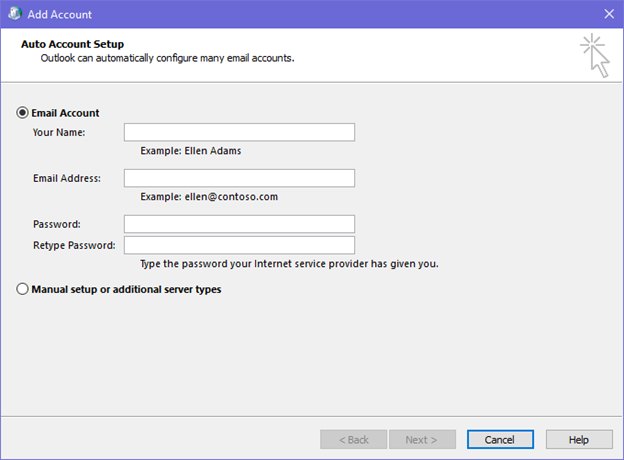
- Click ‘OK’ to finish creating a local Outlook profile with no e-mail account
Now you can export the mailbox items to PST without error.
For more help, get in touch with us via the Self Help & Support page.






