 For Individuals
 Data Recovery
 File Repair
 Data Erasure
  For Business
 Email Repair
 Email Converter
 Email Migration
 File & Database Repair
  Toolkit
 Forensic
 Lab Services
 Our Partners
 About
About Company
 Leadership
  Media Coverage
 Press Releases
 Career
  Resources
 Case Studies
 Blogs
Blogs  Articles
  Videos
  Support
 Contact us

In Exchange environments—whether on-premises or hybrid—certain service accounts or applications (like email migration tools, backup software, or third-party services) may require impersonation rights to access user mailboxes programmatically. This is especially common during mailbox migrations, automated data processing, or account audits.
Impersonation allows a designated account to act on behalf of other users, granting full mailbox access without manual credentials for each user.
This guide explains how to assign impersonation rights to a user account through the Exchange Admin Center (EAC) using the Hygiene Management role group.
Steps to Assign Impersonation Rights via EAC
Follow these steps carefully to grant impersonation access:
1. Log
in to Exchange Admin Center (EAC)
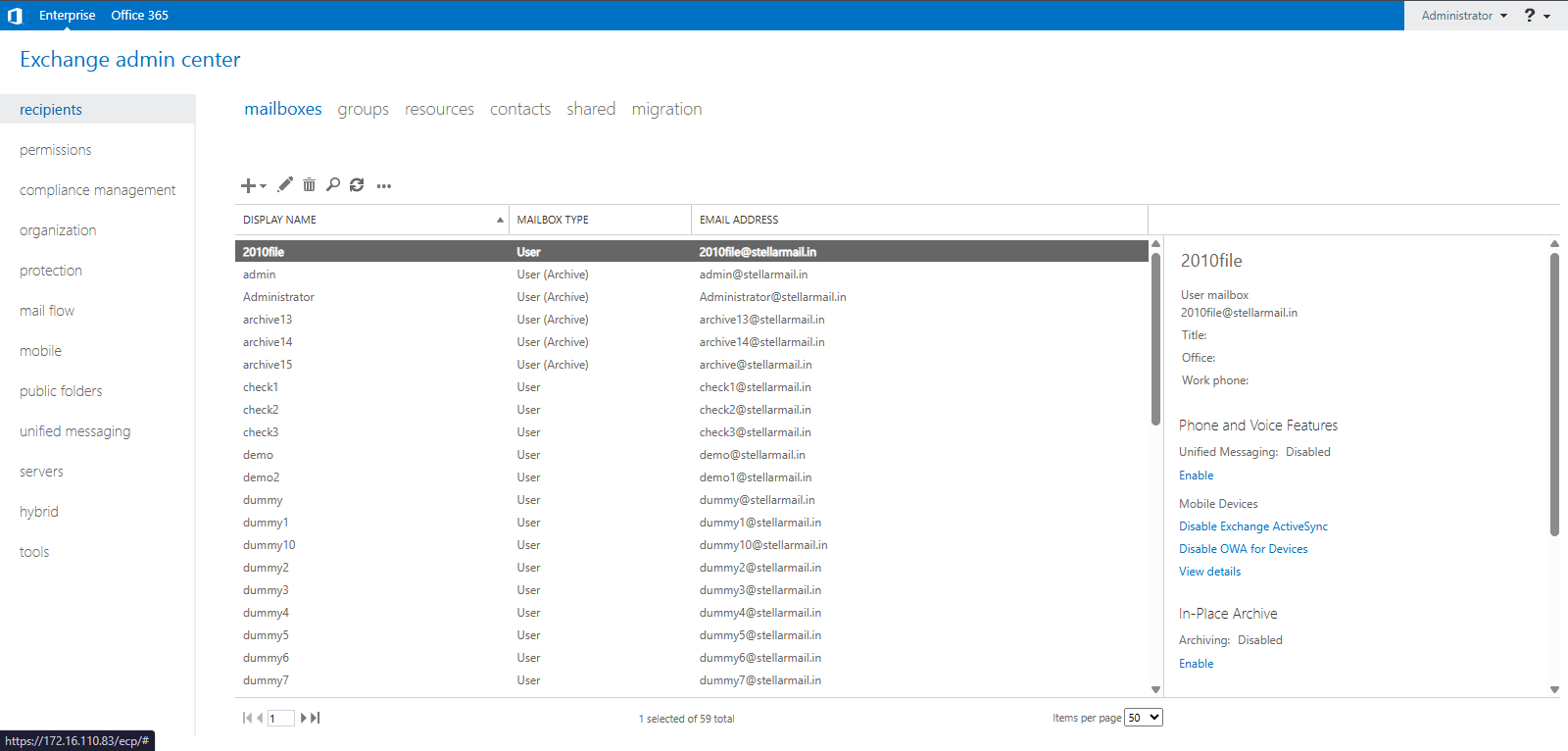
2. In the left-hand pane, click on permission.
3. Under the Admin Roles section, locate and click on Hygiene Management
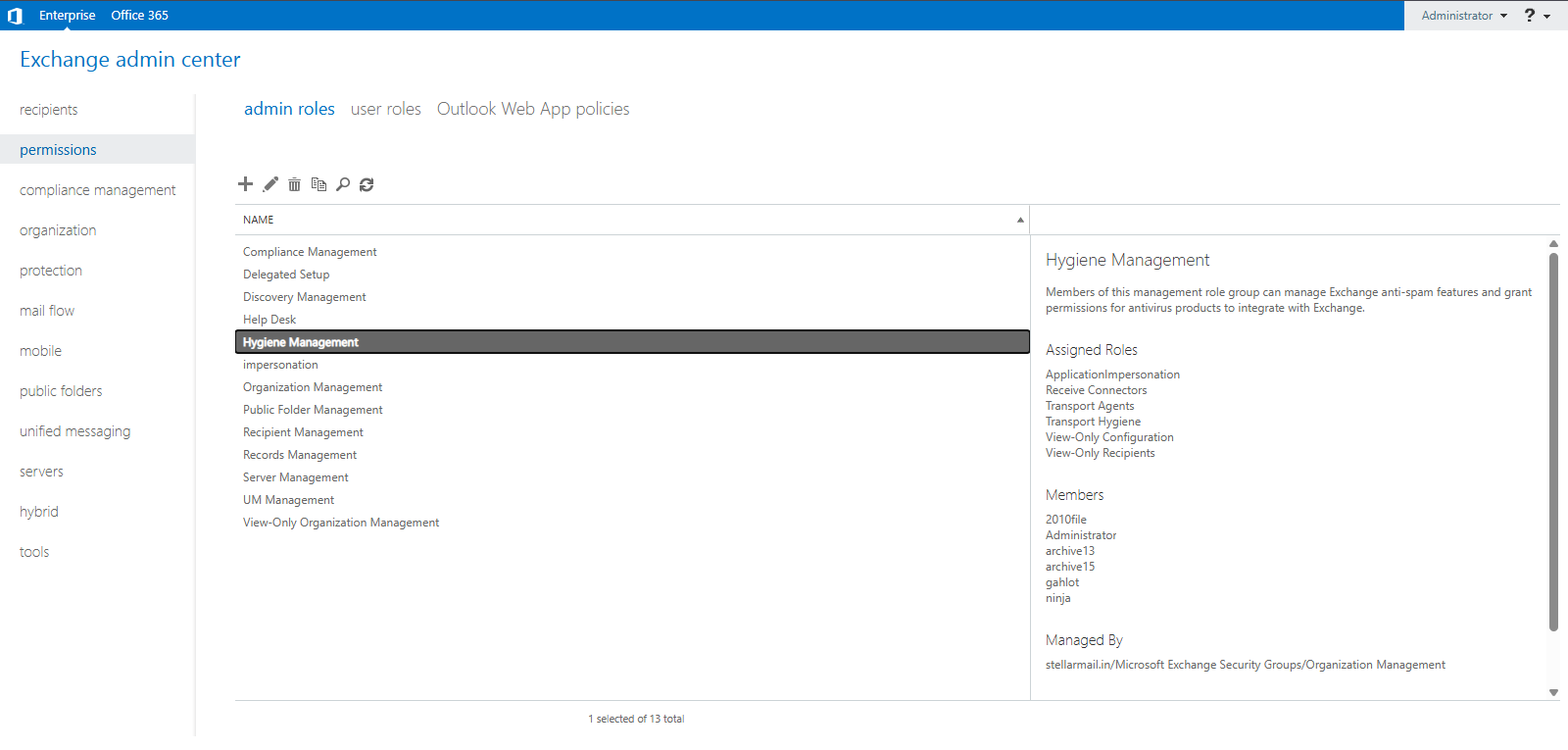
4. In the left-hand pane, click on Permissions
5. Add the Member (User or Service Account)
- Under Members, click Add (+).
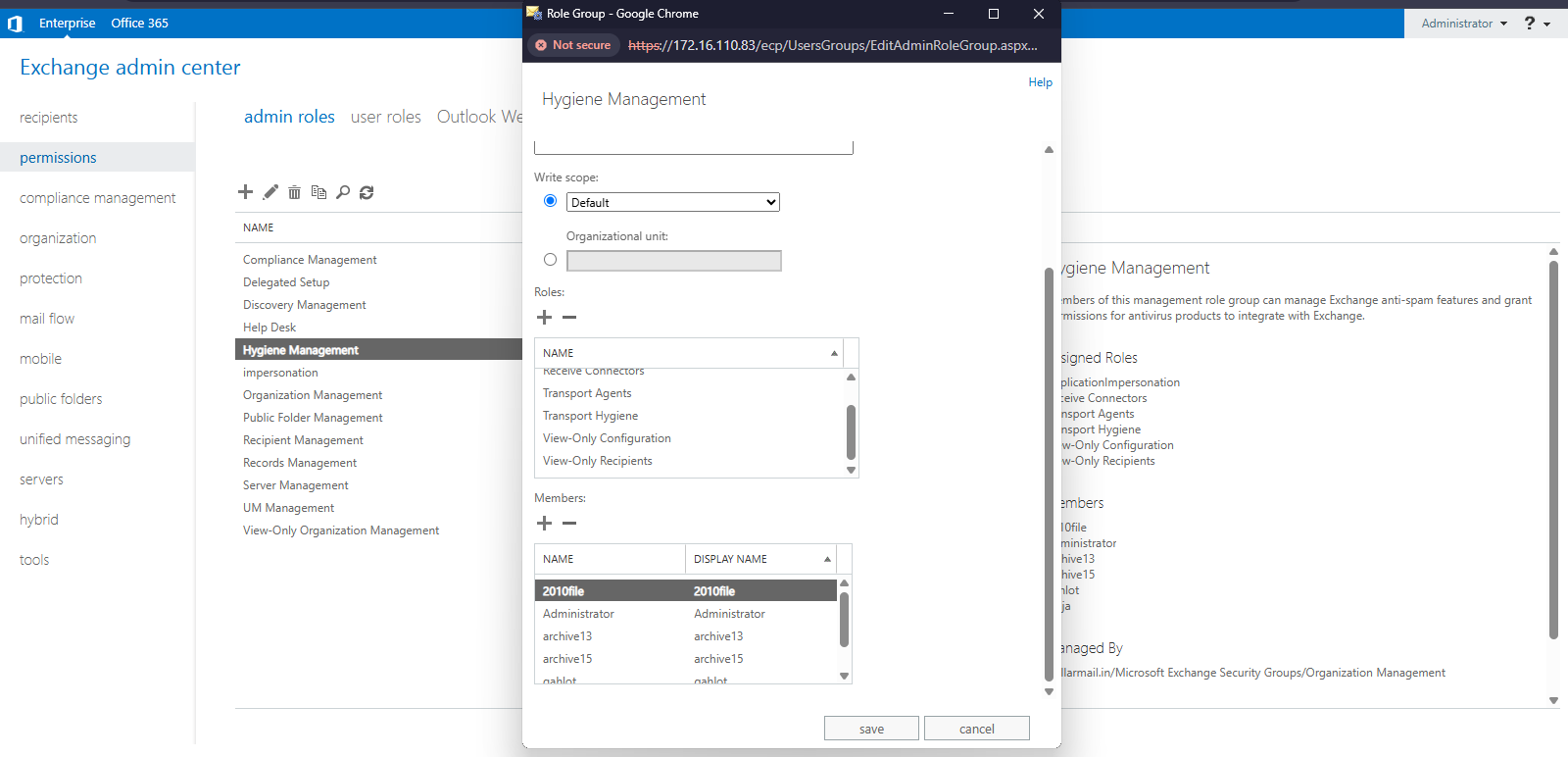
- Select the user that needs impersonation rights
- Click Add, then click OK
6. Save the changes
- Click Save to apply the changes to the role group
Notes
- The Hygiene Management role group includes the ApplicationImpersonation role by default in some Exchange versions.
- If impersonation doesn't work after following the steps, ensure replication is complete and retry after a few minutes.
- For more granular control (e.g., limiting impersonation to specific mailboxes), PowerShell and custom management scopes should be used instead.
Conclusion
Granting impersonation rights through EAC is a straightforward process that helps enable secure and scalable access to mailboxes for service accounts. Whether you’re preparing for a migration, setting up a monitoring tool, or automating workflows, assigning the correct permissions is critical to avoid access errors and ensure smooth operations.
For advanced scenarios, or if you're managing Exchange Online, consider using PowerShell-based impersonation with scoped access for better security and control.






