For Individuals
 Data Recovery
 File Repair
 Data Erasure
 For Business
 Email Repair
 Email Converter
 Email Migration
 File & Database Repair
 Toolkit
 Forensic
 Lab Services
 Our Partners
 About
 Company
 Leadership
 Media Coverage
 Press Releases
 Career
 Resources
 Case Studies
 Blogs
 Articles
 Videos
 Support
 Contact us


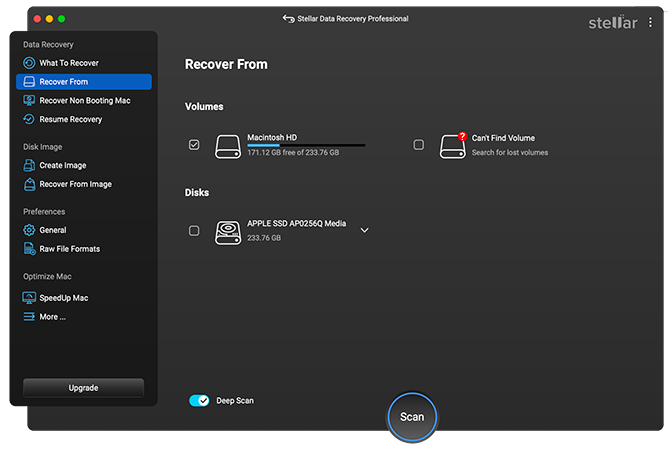
‘Select What to Recover’ is the very first interface of Stellar Data Recovery Professional followed by ‘Recover From’ screen.
In the case of Recover Everything, which is also a default selection, all the file types ranging from Documents, Emails, Videos, Audio, and Photos will be auto-selected.
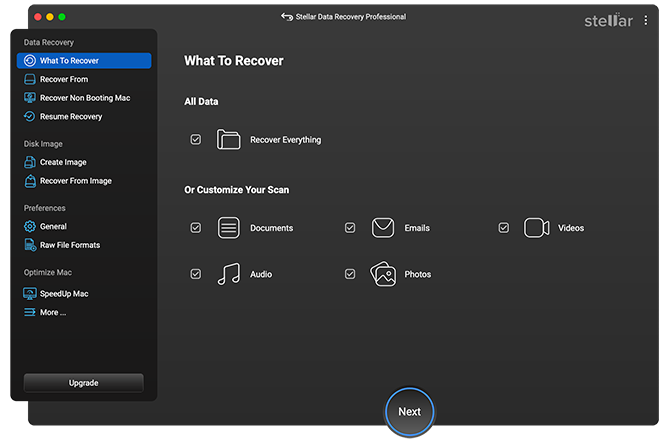
In case of Customize Your Scan, you have the liberty to select or unselect any particular file type(s). It is a time-saving option especially when you want to recover some specific file.
For instance: You can click and OFF Documents & Emails when you need to recover only media files such as pictures, audio, and videos.
Once you are done with File Type selection, just click ‘Next’ and proceed ahead to 'Recover From' screen.