 For Individuals
 Data Recovery
 File Repair
 Data Erasure
  For Business
 Email Repair
 Email Converter
 Email Migration
 File & Database Repair
  Toolkit
 Forensic
 Lab Services
 Our Partners
 About
About Company
 Leadership
  Media Coverage
 Press Releases
 Career
  Resources
 Case Studies
 Blogs
Blogs  Articles
  Videos
  Support
 Contact us

Stellar Data Recovery Professional for Windows software allows you to search and recover data from lost or deleted partitions of a hard disk. You should use "Can’t Find Drive” option from main interface to recover data from an accidentally deleted partition. This option will search and list all the deleted and lost partitions in the hard disk along with existing volumes.
Watch out the video tutorial here:
Follow the steps:
- Run Stellar Data Recovery Professional software.

- From "Select What To Recover Screen" screen, select the type of data i.e. Everything, Documents, Folders and Emails or Multimedia Files, you want to recover.
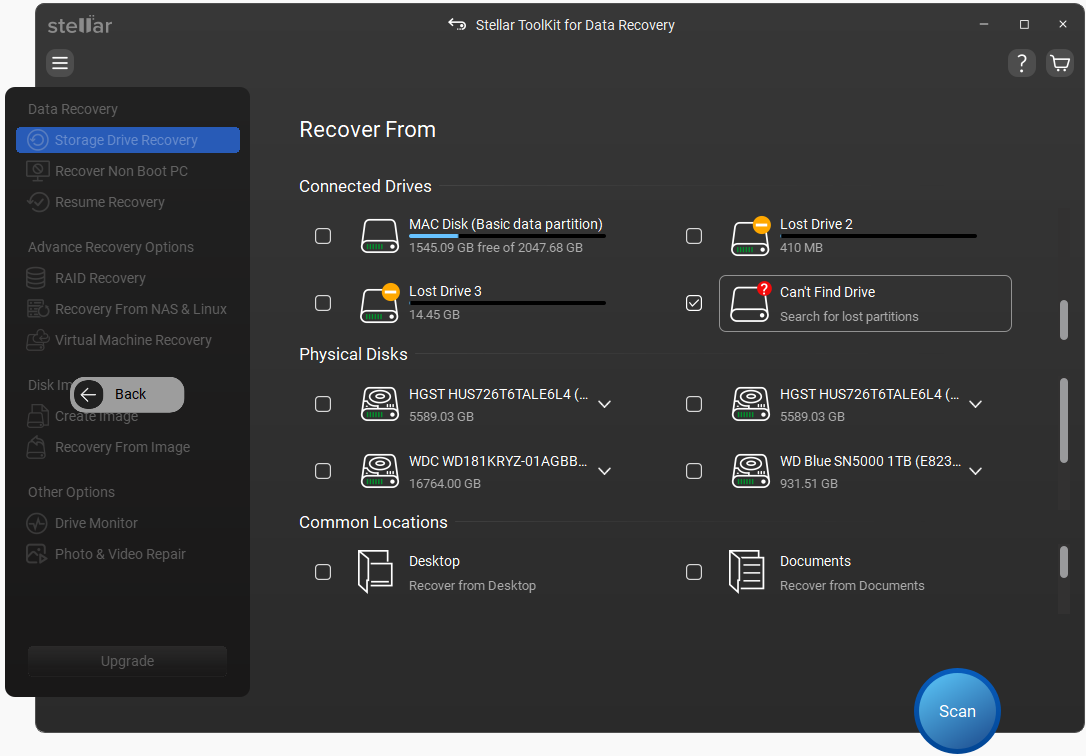
- Click Can’t Find Drive to locate lost partitions.
- Select the required partition and click Scan.
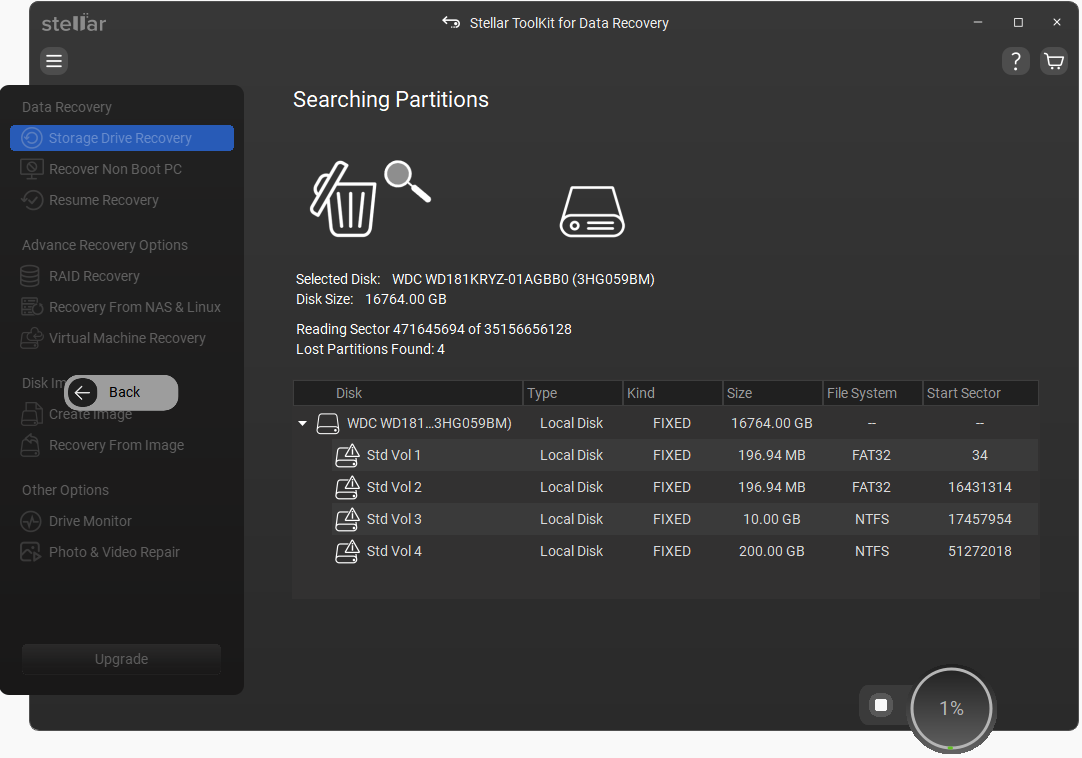
- Preview and select the files to recover.
- Click Recover and save files to another drive.






