 For Individuals
 Data Recovery
 File Repair
 Data Erasure
  For Business
 Email Repair
 Email Converter
 Email Migration
 File & Database Repair
  Toolkit
 Forensic
 Lab Services
 Our Partners
 About
About Company
 Leadership
  Media Coverage
 Press Releases
 Career
  Resources
 Case Studies
 Blogs
Blogs  Articles
  Videos
  Support
 Contact us

To activate Stellar Repair for Access software, follow the below steps:
- Download and install the Access repair software.
- Go to the Buy online tab.
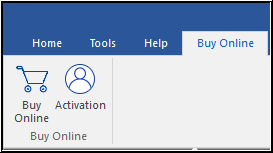
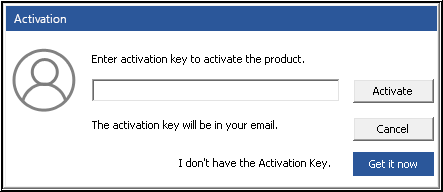
If you have activation key then:
- Enter the key
- Click Activate
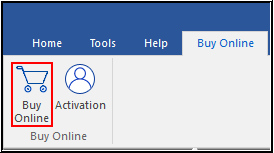
If you don’t have Activation key then:
- Select Buy Online option
OR
- Click Get it now as shown in the screenshot below:
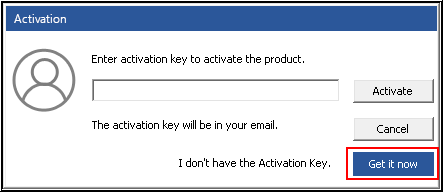
- Complete the software buying process
Note: You will get the Stellar Repair for Access activation key through Email. Enter the provided key and activate the software!






